Managing GNSS firmware updates without losing a known workflow
Preserve settings and test critical survey tasks before introducing a new receiver or controller version into production.
Treat an update as a configuration change
Firmware and software updates can improve equipment, but they can also change settings, supported workflows or interface behaviour. A survey organization should know which versions support its approved configuration. Treat an update as a controlled change rather than a routine button press immediately before leaving for a critical campaign. The question is whether the revised system still performs the tasks and preserves the evidence the project requires.
Begin by identifying the exact receiver, controller and application versions in use. Keep that record with field tests and setup templates. A model name alone does not describe the processing and communications behaviour of every unit over time. If a problem appears after an update, version records provide a concrete starting point for comparison instead of an uncertain memory that the equipment seemed different last week.
Continue learning Exporting GNSS data to GIS without losing its meaning
Read the applicable release information
Use official manufacturer instructions and release notes for the exact product. Check prerequisites, compatibility and any stated changes to settings or data formats. Do not infer that an update for a similar model applies to the equipment in the case. If the instructions are unclear, resolve the question through the support route before changing a production unit that the crew depends on for scheduled work.
Separate a recommended improvement from an urgent operational requirement using the information actually supplied. The project context matters: a change that can be tested during office preparation may be disruptive in the middle of a campaign. Avoid making unsupported claims about what an update will fix. Record the reason for the change and the specific behaviour that the organization intends to verify afterward.
Continue learning GNSS control for bridge approaches and connecting roads
Preserve the known configuration
Back up settings through the supported method and record critical values in a readable form. Include correction profiles, antenna information, logging settings and relevant job templates. A backup file is useful only if its scope and restoration method are understood. Some settings may live in the controller, others in the receiver or a separate application. Identify those boundaries so the team does not assume one export captures the entire system.
Preserve representative test data and successful check records from the known working configuration. These provide a comparison for the revised system. Keep credentials private when recording connection settings. A general change note should identify the technical profile without exposing passwords. Store the approved backup and version information in the project or equipment archive rather than only on the device that is about to be changed.
Continue learning A GNSS equipment preflight before leaving the office
Choose a practical test window
Schedule the update when there is time to inspect, test and resolve problems. Avoid combining it with several unrelated hardware or template changes if the team wants a clear comparison. Where possible, use a noncritical unit or a controlled pilot before changing all equipment. The aim is not to delay every improvement, but to retain a working reference while the revised arrangement is evaluated.
Follow the manufacturer procedure for power, connection and completion checks. Do not improvise a recovery or downgrade method if it is not supported. Record any interruption or unexpected message and seek the appropriate support. Once the update completes, inspect the reported version and the critical settings. A success message from the installer is one stage of the process, not the final survey readiness decision.
Continue learning Creating point names that remain unique across survey crews
Test the field functions that matter
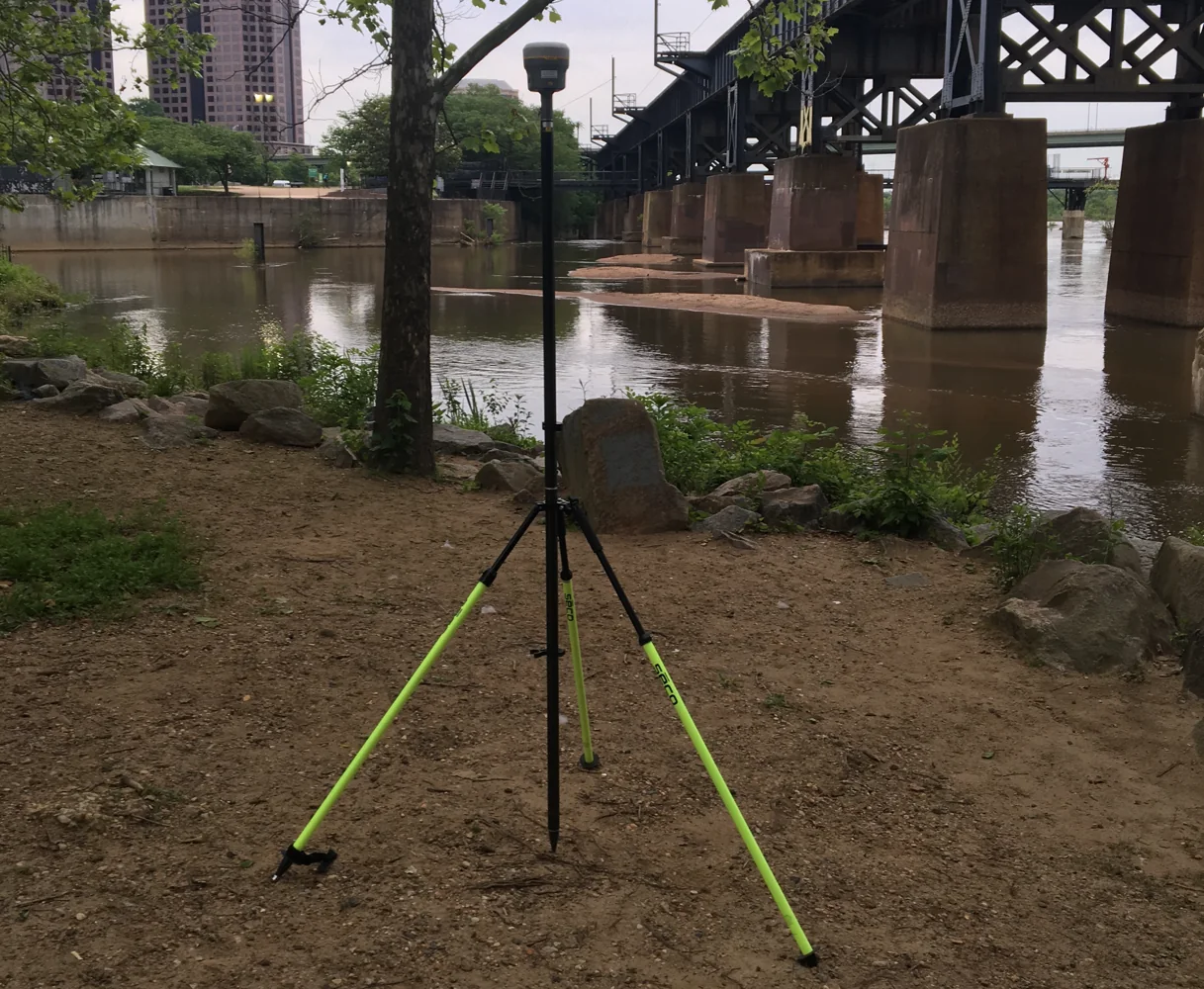
Reconnect to the intended correction source and verify usable data at the rover. Check message compatibility, correction age, required solution state and behaviour after a controlled interruption. If specialized observation modes are part of the approved workflow, test their initialization and output under suitable conditions. Use the same documented test procedure where practical so a changed result can be interpreted rather than attributed to an entirely different trial.
Occupy suitable known points and compare horizontal and vertical components using the project criteria. Preserve the observations and configuration. Do not accept the update solely because the receiver becomes fixed or the interface appears familiar. The meaningful question is whether the complete revised workflow still produces acceptable results under the conditions that matter to the organization and whether its diagnostics remain understandable to the crew.
Continue learning Exporting GNSS data to GIS without losing its meaning
Verify recording and exports
Create representative points, attributes and raw logs, then transfer them through the intended office route. Inspect identifiers, units, height definitions and format interpretation in the destination software. An update can affect data handling even when positioning appears unchanged. Keep a small known test dataset with expected outcomes so the team can recognize a missing field or changed export convention before production records accumulate.
Check job import and template behaviour as well. An old configuration may load with defaults or omit a setting that was previously stored elsewhere. Review the active values rather than assuming an imported filename proves equivalence. If a conversion tool is updated at the same time, record that separate version and test its output. The final archive should reveal which software created each derived file.
Continue learning GNSS control for bridge approaches and connecting roads
Approve or contain the change
Record the tests, results and any limitations. If the revised system passes the required checks, identify it as the approved version and update crew instructions. If a problem remains, keep the unit out of the affected production workflow or use an approved alternative. Follow manufacturer guidance for any restoration. Do not silently revert settings and erase the evidence of what was tested or why the change was rejected.
If some equipment is updated and some remains on an earlier version, make the distinction visible. A mixed fleet can be manageable when its configurations are known, but confusing it with one uniform setup creates unnecessary uncertainty. Label test status by device and version. This helps field supervisors allocate equipment appropriately and gives support a precise description when a problem affects only part of the fleet.
Continue learning A GNSS equipment preflight before leaving the office
Carry the result into operations
At crew handover, explain any changed screen, setting or field action. Update the preflight and recovery instructions where necessary. Keep the previous approved configuration and change history according to the organization retention policy. A future investigation may need to know not only the current version but which version supported a particular campaign and when the transition occurred.
For example, a controller update that changes an export field can be contained through a pilot test and a revised template before all crews adopt it. Without that test, the issue may appear only after files reach the client. Controlled updating turns a software change into a reviewable operational decision. It preserves the benefits of improvement while keeping the survey workflow, supporting evidence and responsibilities clear.
Keep a brief record of settings that returned to defaults during testing, even if they were easy to restore. That information belongs in the rollout instruction for the remaining units. Otherwise the pilot operator may silently correct the issue while later crews encounter it unexpectedly and produce jobs with inconsistent configurations under the same nominal version.
Continue learning Creating point names that remain unique across survey crews
Practical checklist
- Record versions and preserve supported configuration backups.
- Test corrections, known points, logging and exports.
- Approve the revised workflow by device and version before production.
Plan your GNSS setup
Compare the EQ10 and EQ20 receiver specifications, then discuss the configuration and support your project needs.
Compare GNSS receivers